 Adobe Illustrator is a vector graphics editor by Adobe Systems. It has a modern, updated user interface streamlines daily tasks. Yet everyone is not much familiar with Illustrator. So, in an effort to brush up on Adobe’s vector application, we’ve scanned the web and found some beautiful and useful Adobe Illustrator tutorials. Below is the list of some tutorials that are most useful for learning new techniques and brushing up on the tool sets found in Illustrator.
Before you start you may also like to read our previous post about beautiful illustrations artwork and Illustrator drawing tutorials.
Useful Adobe Illustrator Tutorials
Create a Mail App Icon Using Adobe Illustrator
Illustrator full spectrum Spirograph
Illustrator diamond flower
Monster Character
Create a Themed Repeating Pattern in Illustrator
Creating a crazy cool logo
The Basics of Clipping Paths and Opacity Masks
How to Create Infographics in Adobe Illustrator
Quick Tutorial: Gradient Strokes
How to Create an Abstract Vector Design in Illustrator
Illustrator Quick Tips #2 – Scatter Brushes
The Making of Abe, The Are My Sites Up Mascot
How to Create a Gearbox Settings Icon Using Simple Shapes
Create a Cute Furry Vector Monster in Illustrator
Doodle Style Tutorial in Adobe Illustrator
Beginner Illustrator Tutorial – Create a Vector RSS Icon
Use Adobe Illustrator to Create a Clean Website Layout
Design with Swirls and Flourishes
Tips for Working with the Gradient Mesh Tool In Illustrator
Create Seamless Subtle Patterns
Simple organic shapes the Illustrator way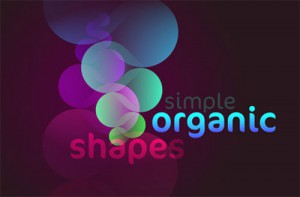
Logo Design Process and Walk through for Vivid Ways
Create a Vector Film Slate Icon
How to Turn Glasses into a Great Geek Icon
Create a Vintage Photo Camera icon for App Store
Nice tutorials! Thanks for sharing such unique and awesome Adobe Illustrator tutorials 🙂